Hannah, by Vanth Labs

A local AI assistant with a voice, a body and hands.

Hannah talks back in real time, moves while she speaks, and does things on your computer (sorts your downloads, runs a command, finds a file), asking before anything risky. On your own GPU, or any API you pick.

Install

Free · MIT · one command · nothing leaves your machine by default

Not a chat box.

Presence

She answers while the model is still writing, gestures with what she says, and stops the instant you talk over her.

0.72 s to the first word · < 0.1 s to yield

Hands

She acts on your machine: a real terminal, multi-step jobs, permission before anything risky, an audit log, undo.

Every command echoed in the terminal panel

Yours

Runs on your GPU, or on any API you choose. Open source. Swap the brain, the voice or the look from a panel.

Fully local on 16 GB · 0 VRAM with a cloud brain

What you can say

Four things she does today. Example exchanges, in your words, not hers.

youorganize my downloads by type

hannahOn it. I'll sort them into folders by what they are.

hannahI need permission to create four folders in Downloads. Yes or no?

youyes

hannahDone. Twenty-three files moved into four folders.

youwhat's eating my disk?

hannahYour home is 412 GB. The biggest folder is Videos at 180 GB, then Downloads at 96.

A local skill: one fixed command, the real number back.

yougo to the other screen

hannahMoving.

The window jumps to the other monitor and stays on top there.

youwhat's on my desk?

hannahA laptop, a mug, and a stack of papers next to a green plant.

A local vision model looks through your camera, only while you keep it on.

One voice. The agent never speaks: she narrates what it does, and she cannot claim something is done unless it is.

Hands

Turn on tools and she opens apps, runs commands in a real terminal and searches the web. Give her a job with several steps, like "organize my downloads by type", and a separate agent does it, with risk-tiered approvals, an audit log and undo. Anything destructive asks you first; anything high-risk needs the button, not just your voice.
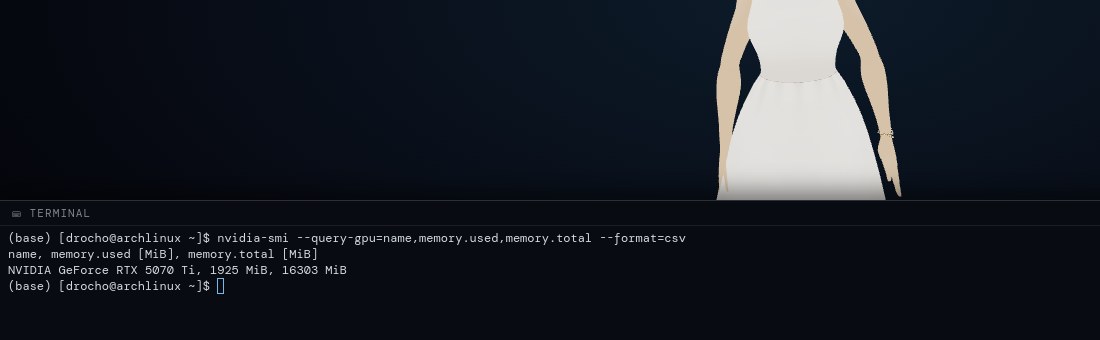
Hannah's window split with a real terminal panel at the bottom
The terminal panel: a real shell, and every command the agent runs echoed there too
How she decides who does what
One command
Something whose exact shape she already knows: list a folder, open an app. Instant, handled by the backend.
A skill
A named shortcut you can add with a markdown file: a description, one action, the phrases that trigger it. She picks the skill; the backend runs the command.
A job
Several steps or decisions. Handed to the agent, which asks before anything risky and reports back. With the agent on, her own free-form commands go through it too.
Presence

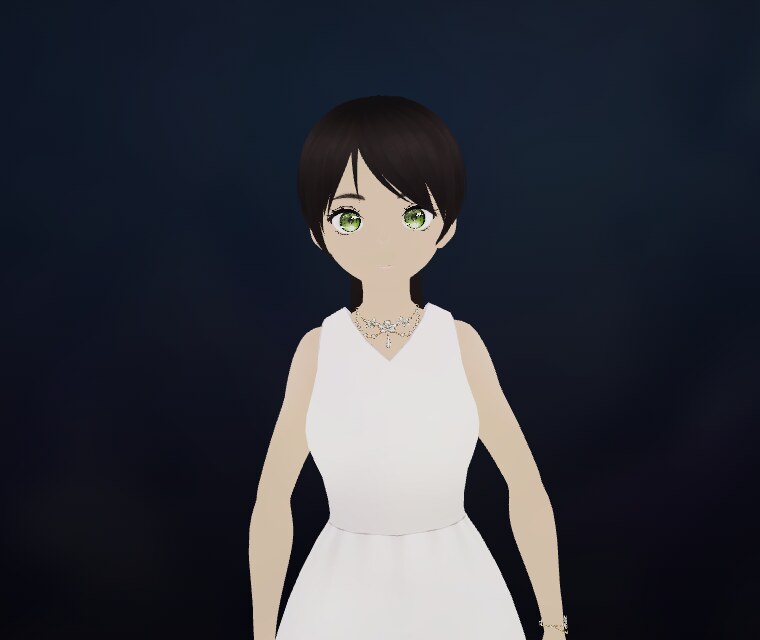
Every sentence becomes body language, generated by a text-to-motion model trained in-house rather than picked from canned clips, and lands on her skeleton through a mapping computed from geometry. Eight facial expressions, lip-sync per syllable, a gaze that follows your cursor. She starts answering while the model is still writing, one sentence at a time, and yields the instant you talk over her.

Language model0.72 s
First spoken sentence4.7 s
Interrupt to silence< 0.1 s

Measured on a text turn, local stack, RTX 5070 Ti. The first sentence waits for its own audio to synthesize; the rest stream behind it.

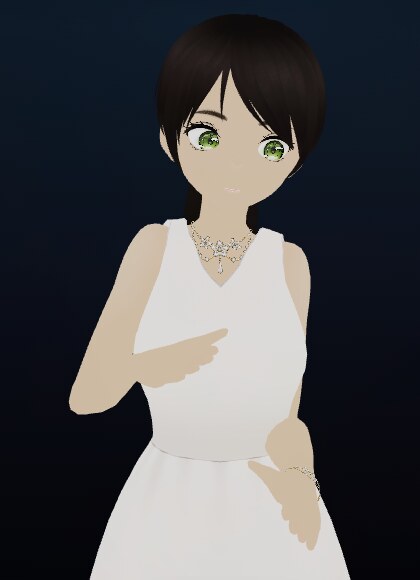
Hannah mid-sentence, one hand raised to her chest
A gesture generated from the sentence she is saying
Close-up of Hannah's face looking at the viewer
Expression, blink and gaze, layered over the motion
Motion
Our own text→motion model: 55 body joints at 30 fps, per sentence
Retarget
Computed from both rigs' rest pose, no hand-tuned rotations
Voice
Neural, on your machine; interruptible mid-sentence

Lives on the desktop

A small window that stays on top of everything, on every workspace, and remembers where you left it. Say "go to the other screen" and she moves. Close it and the whole stack shuts down and frees your GPU.

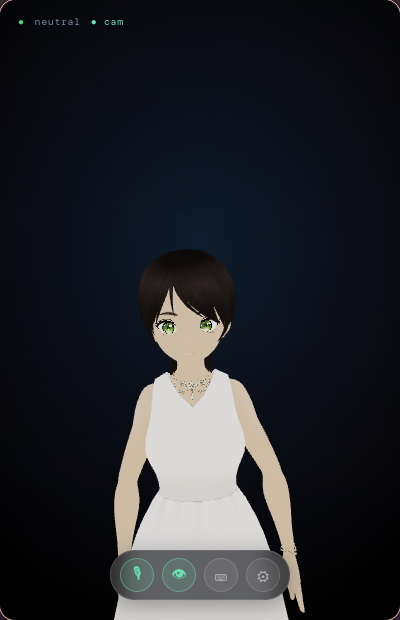
The compact 400 by 620 Hannah window as it sits on a desktop
The overlay, actual size

Works the same on

  • GNOME
  • KDE Plasma
  • Hyprland
  • XFCE
  • Cinnamon
  • sway / i3

Under Wayland the window runs through XWayland so it can stay on top; native Wayland forbids it by design. hannah doctor tells you what your desktop supports.

Your data stays yours

  • Local by default The brain, the voice, listening, vision and motion all run on your GPU. The backend binds to 127.0.0.1.
  • Private Audio never touches disk. Transcripts never touch logs. Long-term memory is a SQLite file in your home.
  • Off by default Tools, the terminal and the agent are opt-in. What can leave the machine is exactly what you point at a cloud provider (a brain, a voice, the agent's model), and you turn each one on knowingly.
  • Open MIT-licensed code across every repository. The one asset that is not ours, the SMPL-X body model, stays out of git under its own license.

Who it's for today

Linux, macOS and Windows. Fully local wants an NVIDIA card with 16 GB; with a cloud brain and the voice on the CPU it runs on far less. English voice out of the box; swap the voice or the language from the panel.

Everything localLight
BrainOllama, qwen2.5:7b · 4.8 GB VRAMAny API: Groq, OpenAI, Anthropic, Google, OpenRouter · 0 VRAM
VoiceKokoro on the GPU · 0.9 GBKokoro on the CPU (slower), or ElevenLabs
ListeningWhisper, local · 0.8 GBCloud transcription
Visionmoondream, loaded only while the camera is on · 2.4 GBOff
Body languageOur motion model · 1.2 GBSame, on the CPU (slower to prepare each sentence, but she still moves)
NeedsNVIDIA, 16 GB for all of it at onceAny machine; an NVIDIA card makes the gestures instant, the CPU makes them a little late; what you send to a provider leaves the machine

VRAM, everything local, measured

Brain 4.8 GB
Vision 2.4
free
  • Brain 4.8 GB
  • Vision 2.4 (optional)
  • Motion 1.2
  • Voice 0.9
  • Listening 0.8
  • Free 1.9

14.1 GB of 16 GB with every model resident, on an RTX 5070 Ti. Skip vision and use a cloud brain: < 3 GB.

Built on Ollama, Qwen 2.5, Whisper, Kokoro, moondream, VRM/VRoid, SMPL-X, Electron and three.js. Node 20+, Python 3.12+.

Yours to change.

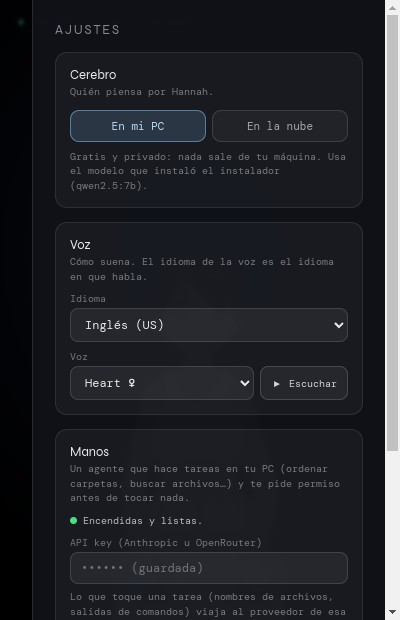
Three decisions in the panel (the brain, the voice, the hands) and everything technical folded under Advanced. Point her at any OpenAI-compatible endpoint, listen to a voice before you pick it, paste a key once. No restart, and keys never come back to the browser.

  • Ollama local
  • OpenRouter
  • Groq
  • OpenAI
  • Anthropic
  • Google (Gemini)
  • ElevenLabs voice

Teach her new skills with a markdown file: a description, one action, and the phrases that trigger it. Her look is a VRM model; her voice is any Kokoro or ElevenLabs voice.

The settings panel: three cards (brain on my PC or in the cloud, voice with a listen button, hands) with the technical options folded away

One command.

The installer sets up Hannah in your user folder, no admin: the voice, the listening, the overlay, the hands, and a hannah command to bring it all up. It does not install Ollama or a language model: the first time she opens, she asks where she should think.

curl -fsSL https://vanthlabs.org/install.sh | bash

x86_64 · everything on your NVIDIA card if there is one, else on the CPU · the brain, local or cloud, is her first question.

  1. hannah: she appears in the corner of your screen and asks where to think: on this PC (she installs Ollama in your user folder and downloads the model, if you say so) or a provider key (Groq, OpenAI, Anthropic, Google Gemini, OpenRouter).
  2. Say hi. She answers, and moves while she does.
  3. Try "organize my downloads by type" and say yes when she asks.
Then
hannah doctor checks your desktop · hannah stop frees the GPU · hannah hands on adds the agent · hannah uninstall removes it all
Size
~2 GB, plus the brain you pick on first run (4.7 GB local, or none with a provider)
Platform
Linux x86_64 · macOS 12+ · Windows 10/11 x64, one command each, no admin. An NVIDIA card makes her quick; without one, everything runs on the CPU, slower.
Build from source instead
git clone https://github.com/Vanth-Labs/workspace.git Hannah-Motion
cd Hannah-Motion
git clone https://github.com/Vanth-Labs/backend.git      hannah-backend
git clone https://github.com/Vanth-Labs/frontend.git     hannah-frontend
git clone https://github.com/Vanth-Labs/motion-model.git hannah-motion-lab
git clone https://github.com/Vanth-Labs/desktop.git      hannah-desktop
cat SETUP.md

From Vanth Labs

Hannah started from a small frustration: talking to a text box never felt like talking to anyone. The models got good; the interaction stayed a chat. We wanted the thing science fiction promised: something on your screen that listens, answers in a voice, moves while it talks, and can actually do what you ask on your computer, with your permission.

Most of the stack is open work we assembled: Ollama, Whisper, Kokoro, VRM avatars. The part that was missing, we built: a text-to-motion model so that every sentence gets body language instead of a looping idle animation, and an agent under her voice that never speaks for itself.

Vanth Labs is two people, and honest about what Hannah needs. If you try her, tell us what broke. If you like her, a star helps more than you'd think.

Vanth Labs

Questions

Do I need an NVIDIA GPU?
Only for everything local at once. With a cloud brain, the voice on the CPU and vision off, a small NVIDIA card is enough. Without any, the gestures are computed on the CPU, slower.
Does it send my data anywhere?
Not by default: the backend listens on localhost and every model runs on your machine. Only what you deliberately point at a provider leaves it: a cloud brain, a cloud voice, or the agent's model.
What does it cost?
Nothing. Hannah is MIT-licensed. If you plug in a cloud provider, they bill you directly; an agent task on a frontier model is a few cents.
Do I have to install Ollama?
No. The installer never touches it. On first launch Hannah asks where she should think: on this PC (she detects an Ollama you already have, or installs one in your user folder and downloads the model with a progress bar, if you press the button) or a provider (Groq, OpenAI, Anthropic, Google Gemini, OpenRouter) with a key you paste. Vision and long-term memory come with the local brain; with a provider, what you say to her leaves your machine.
Does it run on Windows or macOS?
Yes, one command each, no admin (see the install section). Everything runs there too: the gestures use Apple's GPU on a Mac, or an NVIDIA card on Windows, and fall back to the CPU otherwise; each sentence takes a bit longer to prepare, but she moves while she speaks.
Can I change how she looks or sounds?
Yes. Her look is a VRM avatar file; her voice is any Kokoro voice (listen before you pick) or an ElevenLabs one. Language follows the voice.
Can I use a cloud model instead of Ollama?
Any OpenAI-compatible endpoint, from the panel, without a restart: Groq, OpenAI, Anthropic, OpenRouter, or your own server.

Ready when you are.

One command on Linux, macOS or Windows. Ten minutes and a coffee while the models download.

Install

Free · MIT · nothing leaves your machine by default